On this page
Manage Candidates
Individually invite, edit, remind, and remove candidates
The buttons under the Actions column can be used to invite, delete, or edit individual candidates.
To view and manage Candidate details:
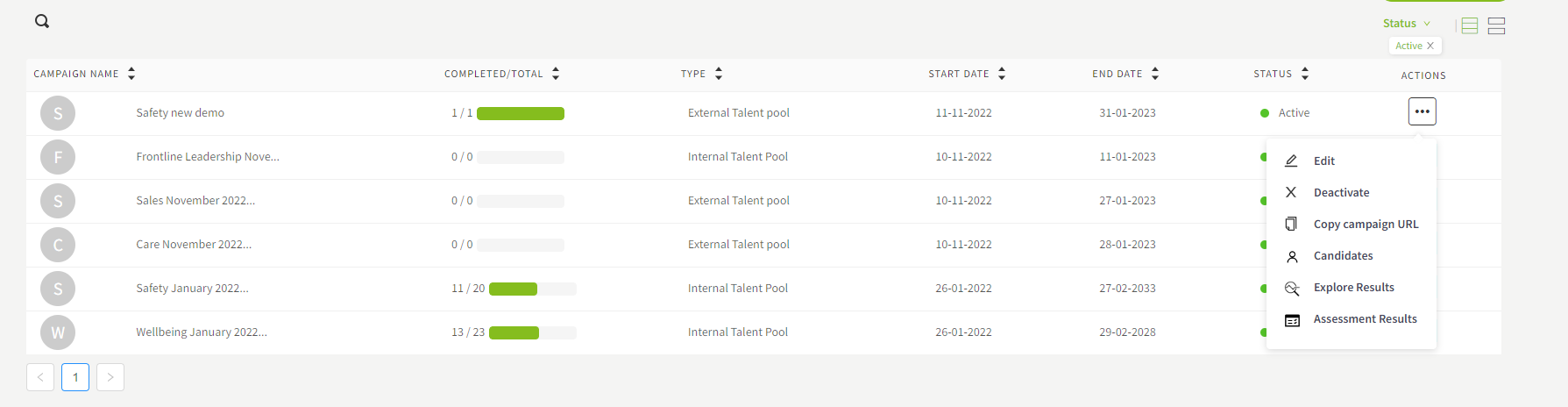
- Navigate to the Campaigns page, click the three-dot button under the Actions column then click Candidates.
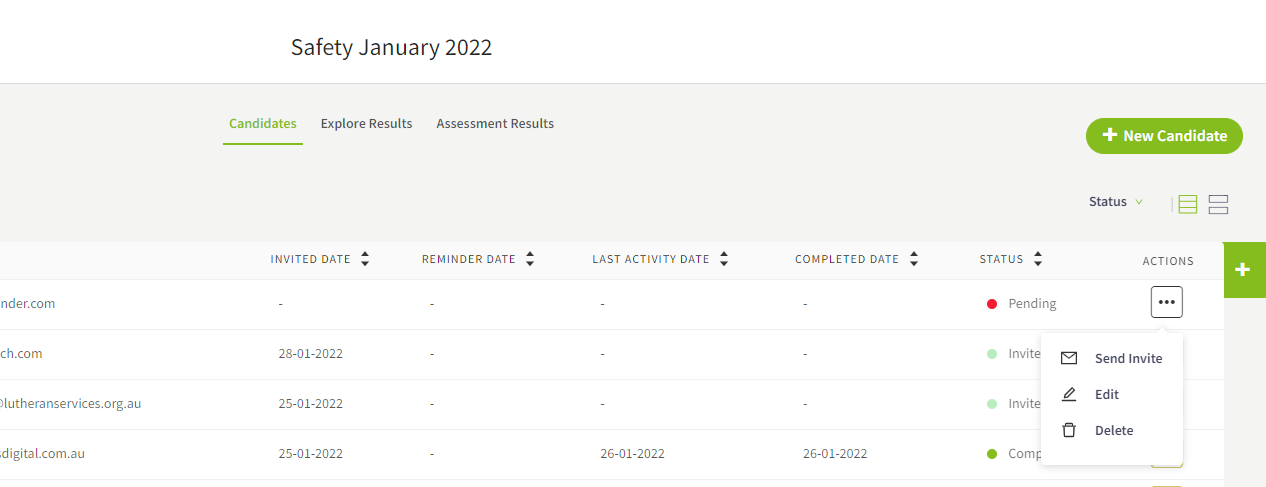
- In the Candidate List all candidates are visible. Click the three-dot button under the Actions column then:
- Click Send Invite to send an email invitation to the candidate to complete the campaign.
- Click Edit to edit/update the candidates’ details.
- Click Delete to remove the candidate from the Candidate List.
- Click Send Reminder to send an autogenerated email to remind the candidate to complete the solution (option visible for invited candidates only)
Bulk invite,remind and remove candidates
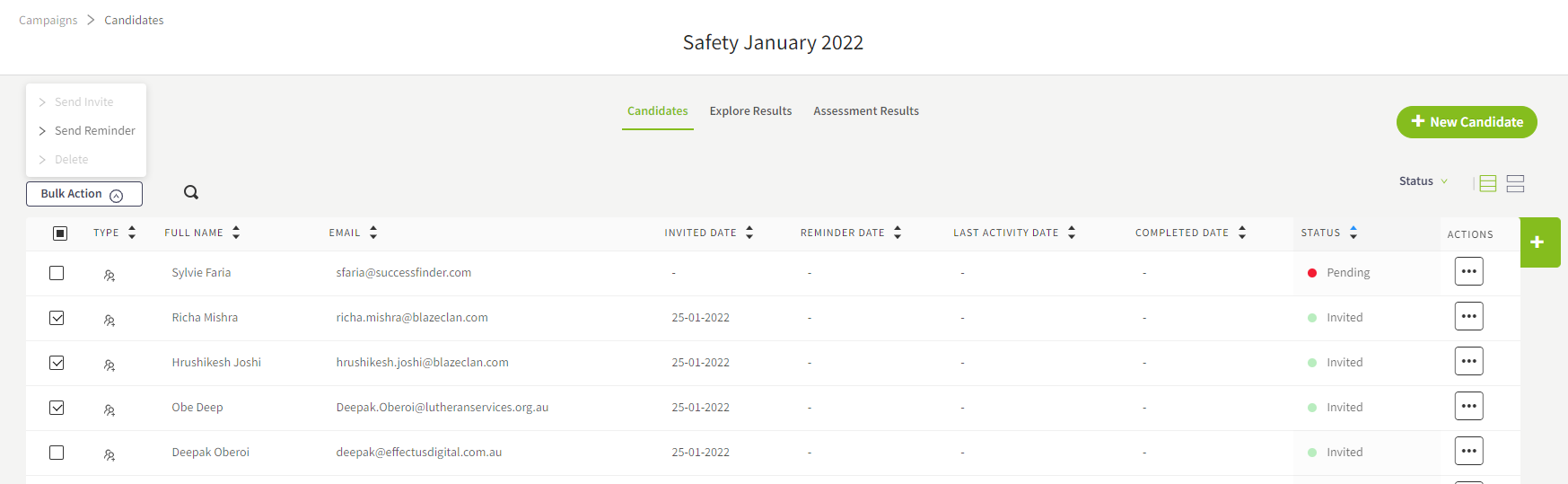
The Bulk Action drop down provides a simple way to invite, delete or send reminder to candidates collectively. The options available under Bulk Action will be active or greyed out based on the status of the candidates.
Track candidate status
A candidate’s status and status of the campaign’s responses can be viewed through the Candidate List page.
To navigate to the Candidate List page:
Click Campaigns on the main menu.
Locate the required campaign then click the three-dot button under the Actions column and click Candidates
The Candidate List page will load to display the list of all candidates and their status (explanation of status and actions available is outlined in the table below).
TIP
To filter candidates by status, click Status then click the required status from the list
Status explanation and actions available by status
| Status | Definition | Actions available |
|---|---|---|
| Pending | Candidate details are added to the campaign, but the candidate is not invited yet. | Send Invite Delete Edit (single candidate only) |
| Invited | Candidate/s has received an invitation to the campaign but has not started the campaign. | Send Reminder |
| In Progress | The campaign has been accessed by the candidate & should be in the process of completing it. | No actions available |
| Completed | Candidate/s have completed the assessment. An overview of their results & time is displayed. | No actions available |