On this page
Solutions
Predikt-r offers customised solutions developed specifically for different roles and industries. They scientifically narrow the field to the best applicants to lift your team and business results while slashing workplace risk.
View and search available Solutions
Click Solutions on the main menu
All Solutions which are published to the Company will be listed in the Solutions list
Click the magnifying glass symbol on the top left side of the list and type the name of the required Solution. Assigned Solutions with the same word in their name will be shortlisted.
Click the X symbol to remove the search word.
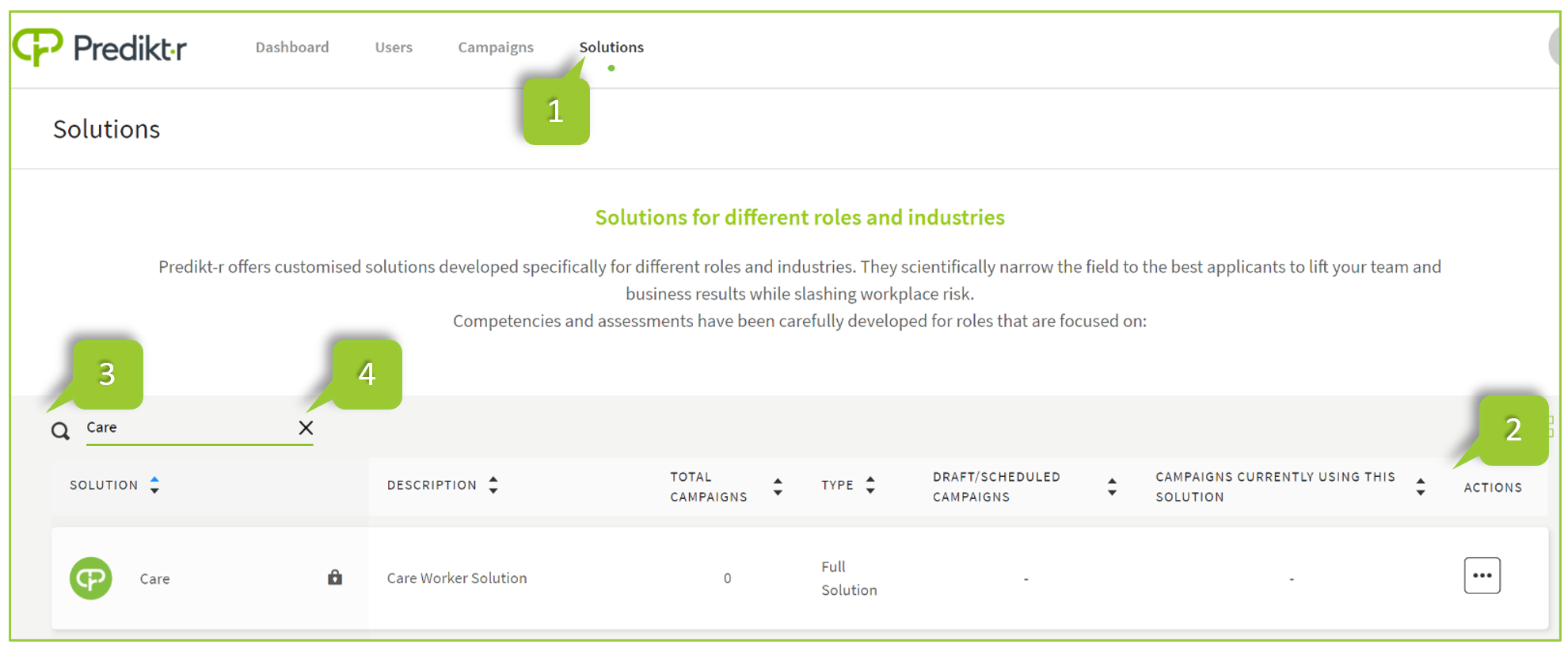
The Solution list displays all Solutions published to the Company. The column headings for the Solution list are explained below:
| # | Heading | Description |
|---|---|---|
| 1 | Solution | Name of assessment. |
| 2 | Description | Overview of the solution |
| 3 | Total Campaigns | Number of roles allocated from subscription Number of active campaigns allocated a role from the subscription |
| 4 | Type | Full or demo solutions are available for access. Full solution is used to assess candidates in campaigns. Demo solution enables a brief version of the solution and are for internal use only. |
| 5 | Draft / Scheduled Campaigns | Number of draft or scheduled campaigns using the solution |
| 6 | Campaigns currently using this Solution | Number of active campaigns currently using the solution |
| 7 | Actions | Additional menu options are available if the button under this column is clicked |
WARNING
A lock icon next to the name indicates that the solution is currently not available to be used for a campaign and can be requested to be assigned.
View Solution competencies
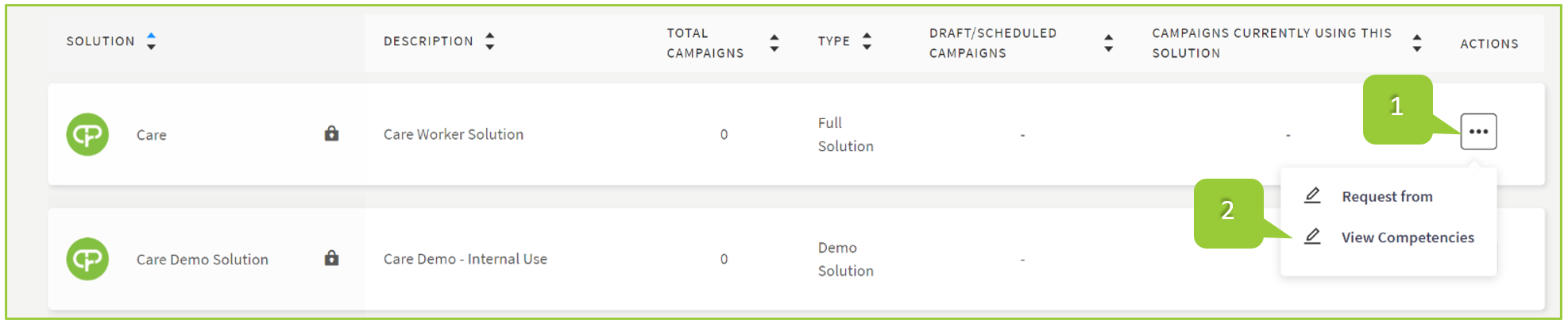
Click the menu icon under the Actions column
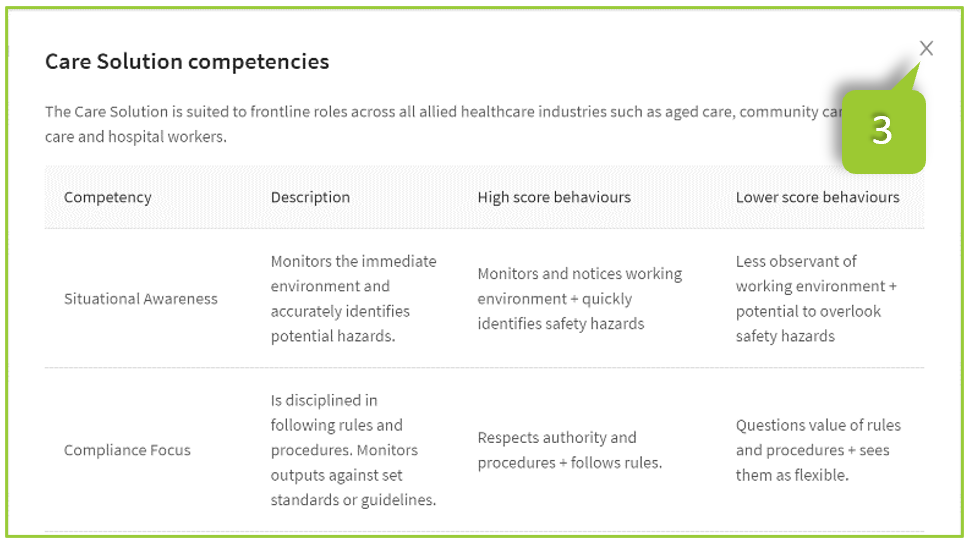
Click View Competencies to view the associated competencies. A list of competencies, description, high score behaviours and lower score behaviours will appear
- Click the X symbol to remove the Competencies screen.
Request a Solution
On the Solutions page click the menu icon under the Actions column
Click Request from Predikt-r

A request will be sent to Predikt-r Administrators to approve access to the requested solution. If urgent, please contact Predikt-r Support by emailing support@predikt-r.com.au and the request will receive priority.