On this page
Candidate Results and Export
Assessment Results
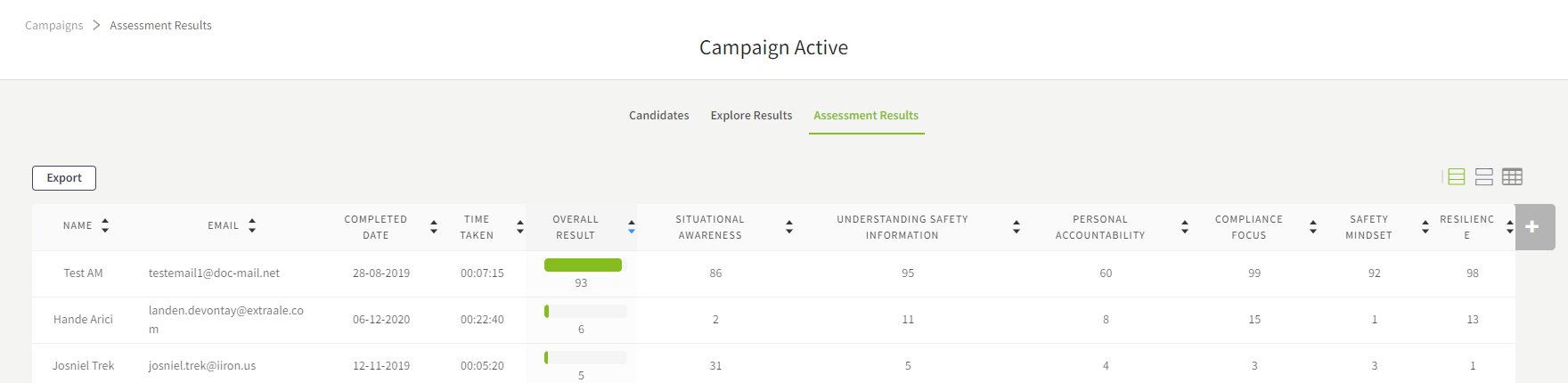
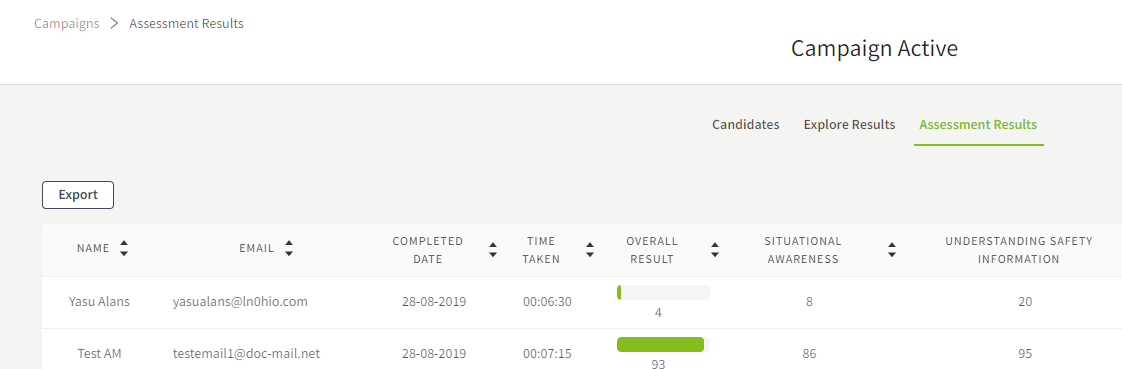
Once candidates have completed the campaign, their overall score and score for each competency will be listed under the Assessment Results tab (can be accessed from Campaign Actions Menu).
Explore Results
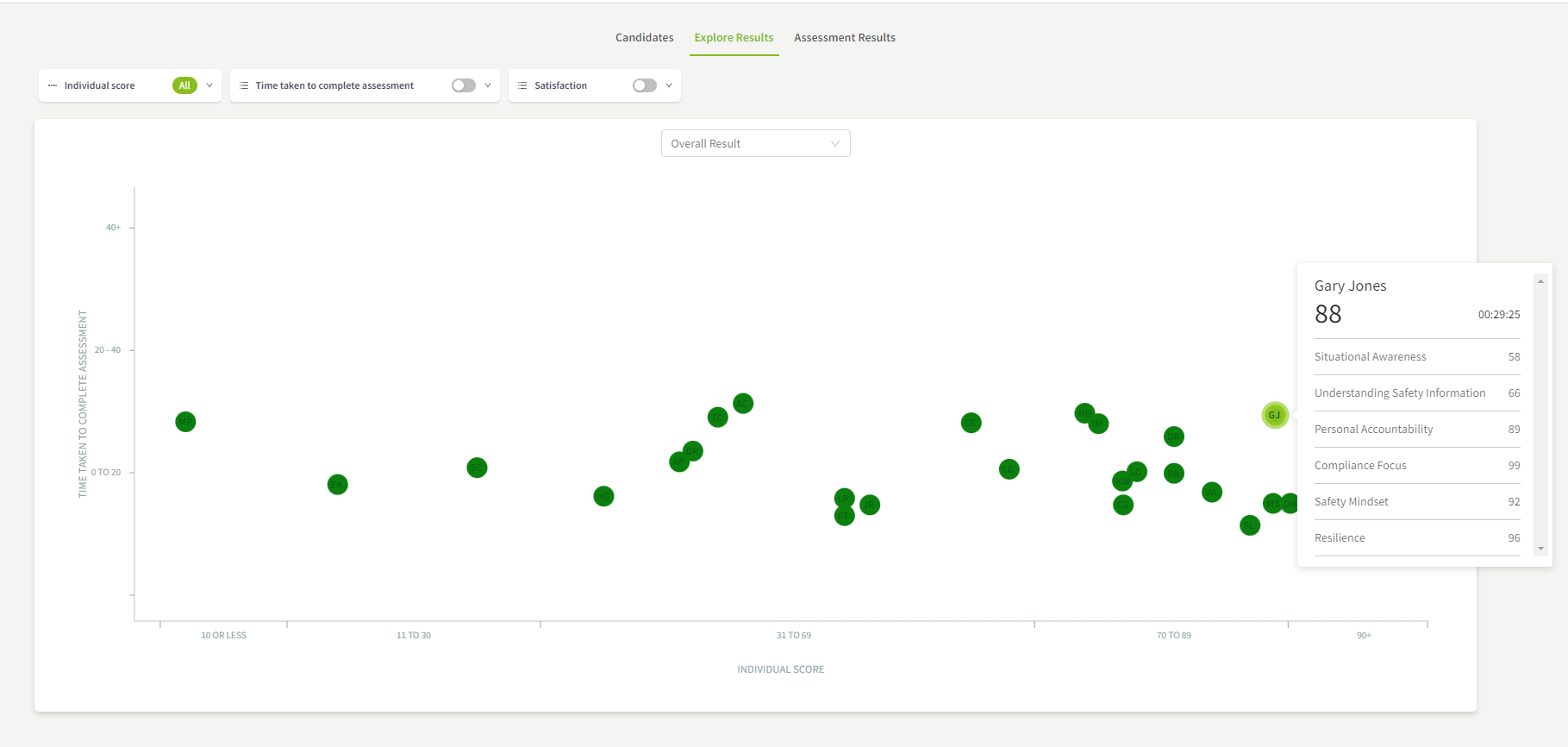
Scores of candidates are plotted under Explore Results tab (can be accessed from Campaign Actions Menu).
TIP
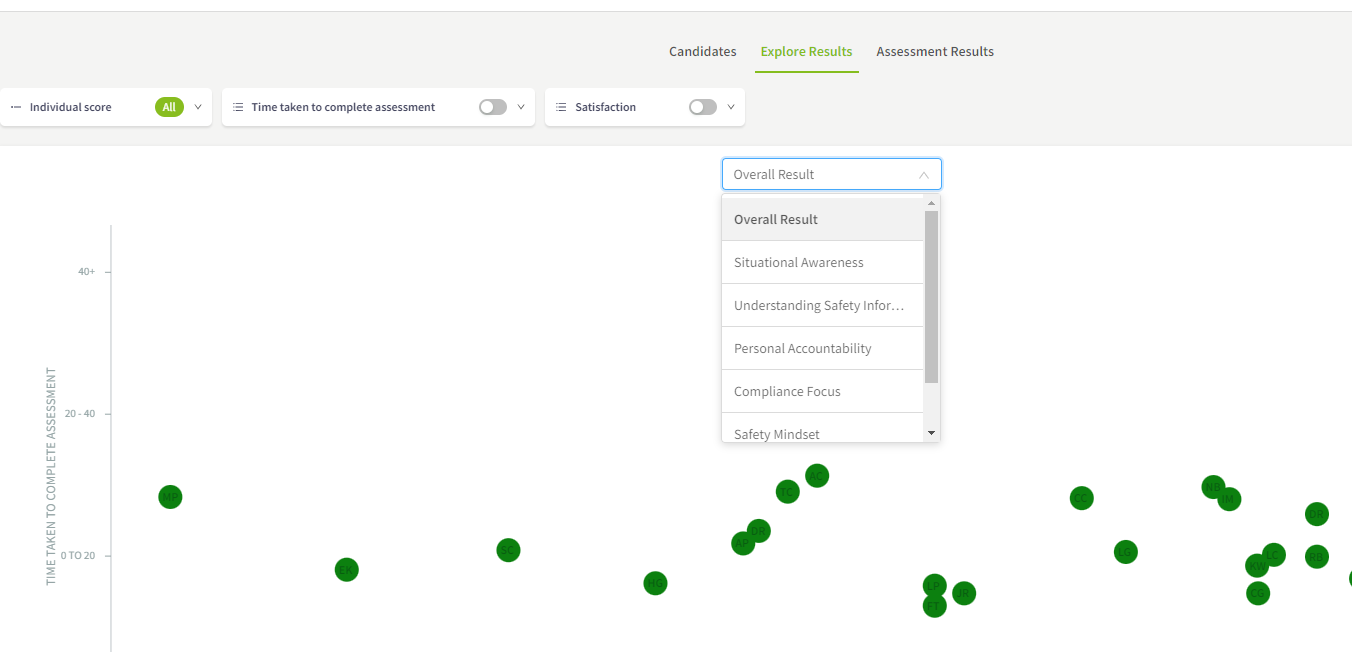
you can also apply competency as a filter
Exporting Assessment Results
All Company Users (both Admin and Staff) can export the results of an assessment into a CSV file for each campaign.
To export the campaign’s results:
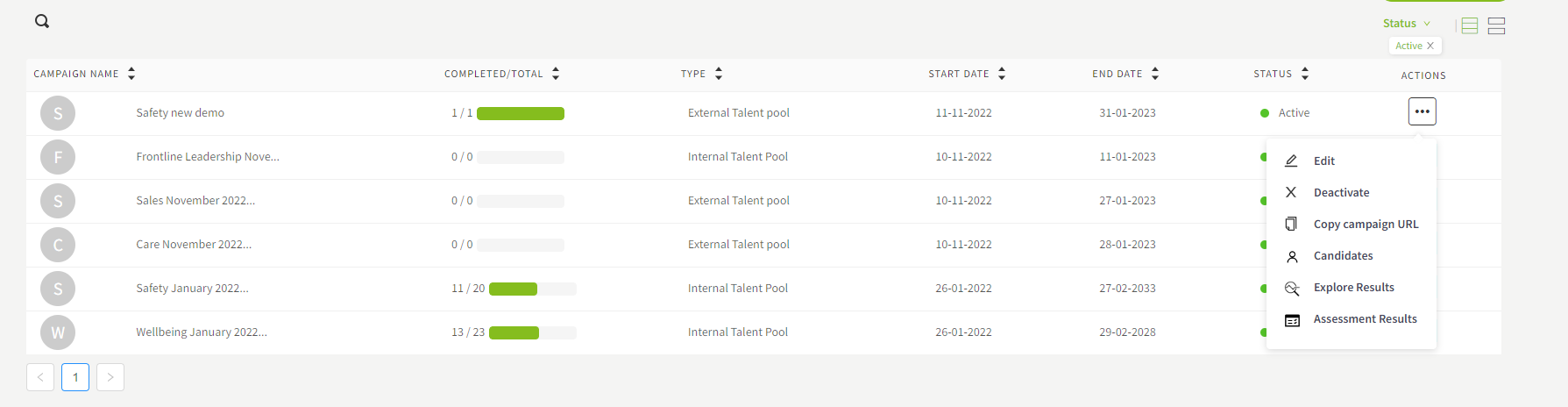
Click Campaigns on the main menu
Locate the campaign whose results need to be exported and click the icon under the Actions tab
Click Candidates
Click the Individual Results tab
Click the Export button
A link to download the results will be sent to the email of the logged in user who is requesting the export.