On this page
Sign up
TIP
To sign-up directly with Predikt-r: Jump to Sign-up on Predikt-r website section below.
Sign up with Partner
Each Partner has a unique link called Company Sign-up link. If signing up with a Partner, they will share the company sign-up link with companies to purchase a Predikt-r subscription.
If a Company is purchasing a Predikt-r subscription for the first time, they can sign-up for a free trial (30 days to create 1 campaign) and create their Predikt-r account simultaneously with this link.
Instructions to sign-up with partner link
Receive link from Partner. Click link to open the Predikt-r subscription page
Select a preferred subscription (free trial, monthly pay as you go or annual license) and quantity (e.g. 1 - 5 roles monthly or 5 - 20+ roles annually)
Click Sign up now button (at end of page) to proceed
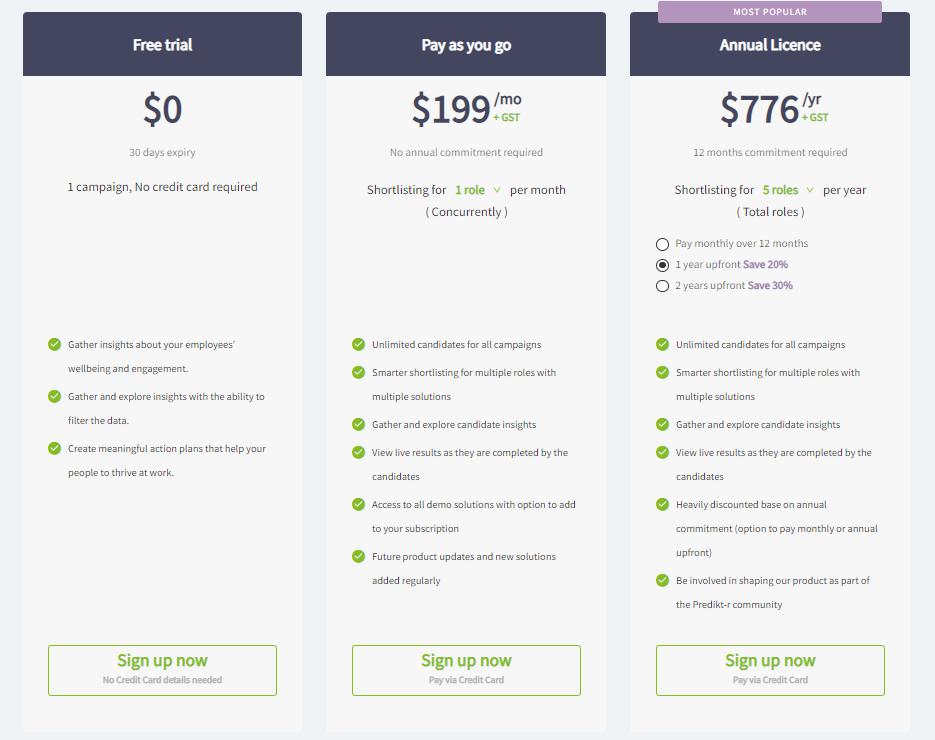
Skip to step 4 below to sign up with free trial / licence with Partner.
Sign up on Predikt-r website
A Company can sign up for Predikt-r and purchase subscriptions online.
To sign-up and purchase subscriptions online:
- Navigate to the Predikt-r website and click Buy or Try it now.

- Select a preferred subscription (free trial, monthly pay as you go or annual license) and quantity (e.g. 1 - 5 roles monthly or 5 - 20+ roles annually)
- Click Sign up now button (at end of page) to proceed
Sign up with Free Trial / Licence
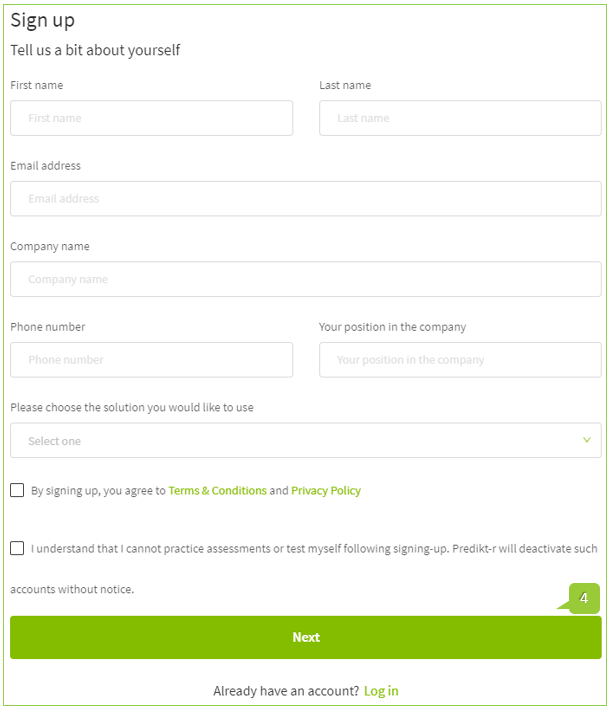
- Enter Company details and click Next
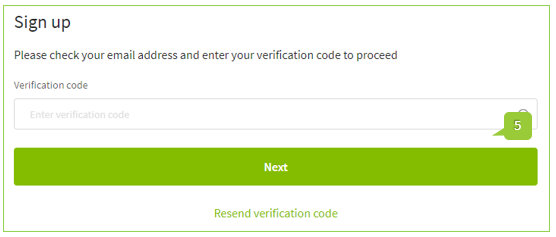
- A verification code to activate the account will be sent to the email address that was used to sign up for the subscription. Copy and paste the verification code in to the nominated field and click Next
WARNING
Do not close this browser window while waiting for verification code. If the verification code is not received or times out please click the Resend verification code link (under the Next button).
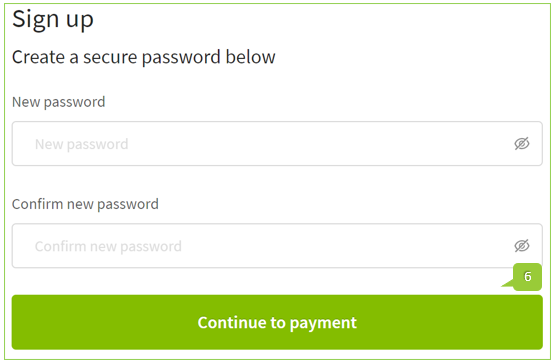
Create a secure password which contains the below criteria, then click Continue to payment button.
Password criteria:
- One lowercase
- One uppercase
- One number
- 8 digits (minimum)
- One special character
- Enter Payment Method and Billing Details
- Click Confirm button
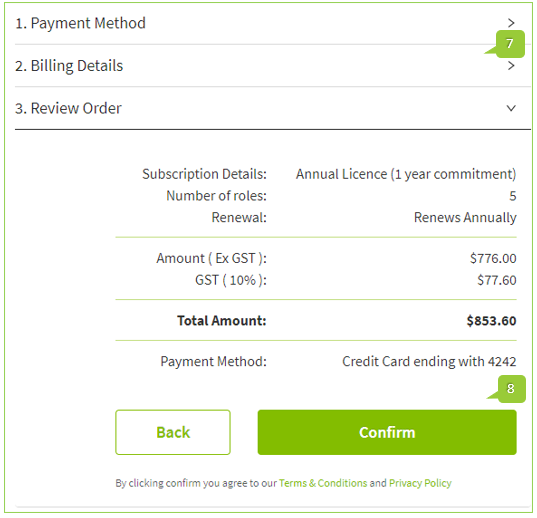
A confirmation message will appear on the screen, and the email used to sign up will receive a confirmation email that the Predikt-r payment was successful. Click the Okay got it button then log in to start using Predikt-r! The subscription will be added instantly.
TIP
If a free trial is created, additional subscriptions can be purchased by clicking the Upgrade or Add button on the Company Dashboard.